Proprietários e administradores de repositórios públicos podem habilitar relatórios de vulnerabilidades privados nos respectivos repositórios. Para saber mais, confira Configuring private vulnerability reporting for a repository.
About privately reporting a security vulnerability
Private vulnerability reporting makes it easy for security researchers to report vulnerabilities directly to you using a simple form.
When a security researcher reports a vulnerability privately, you are notified and can choose to either accept it, ask more questions, or reject it. If you accept the report, you're ready to collaborate on a fix for the vulnerability in private with the security researcher.
Managing security vulnerabilities that are privately reported
Quando uma nova vulnerabilidade é relatada de maneira privada em um repositório em que os relatórios de vulnerabilidades privadas estão habilitados, o GitHub notifica os mantenedores de repositório e os gerentes de segurança se:
- Eles estão observando o repositório para todas as atividades.
- Eles têm notificações habilitadas para o repositório.
For more information about configuring notification preferences, see Configuring private vulnerability reporting for a repository.
-
Em GitHub, acesse a página principal do repositório.
-
Abaixo do nome do repositório, clique em Security. Caso não consiga ver a guia "Security", selecione o menu suspenso e clique em Security.

-
Na barra lateral esquerda, em "Reporting", clique em Advisories.
-
Click the advisory you want to review. An advisory that was reported privately has a status of
Triage.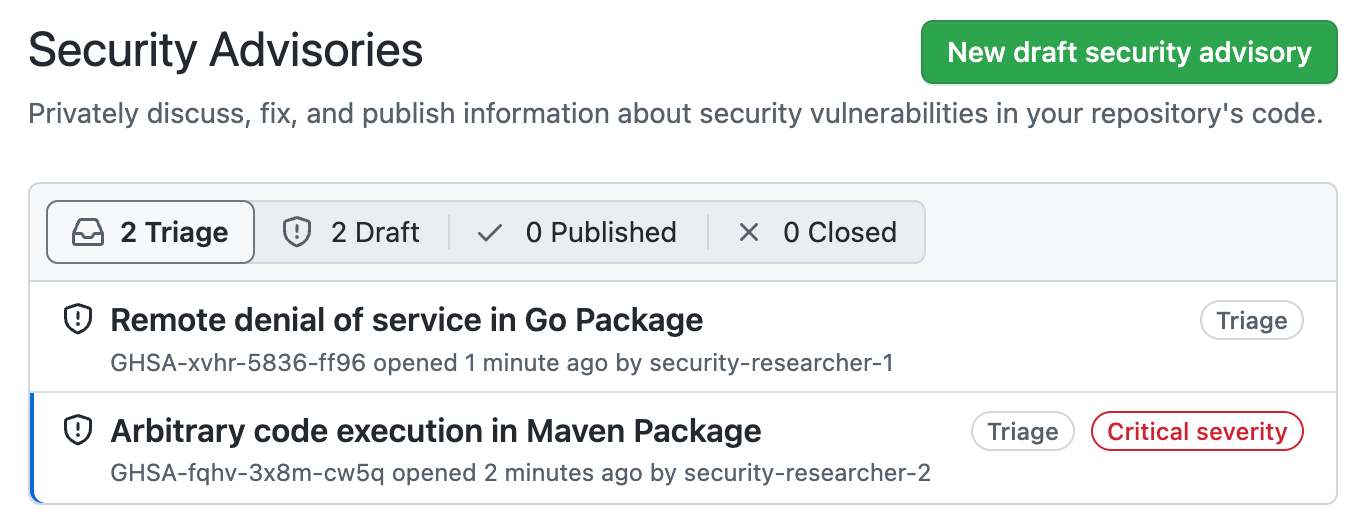
-
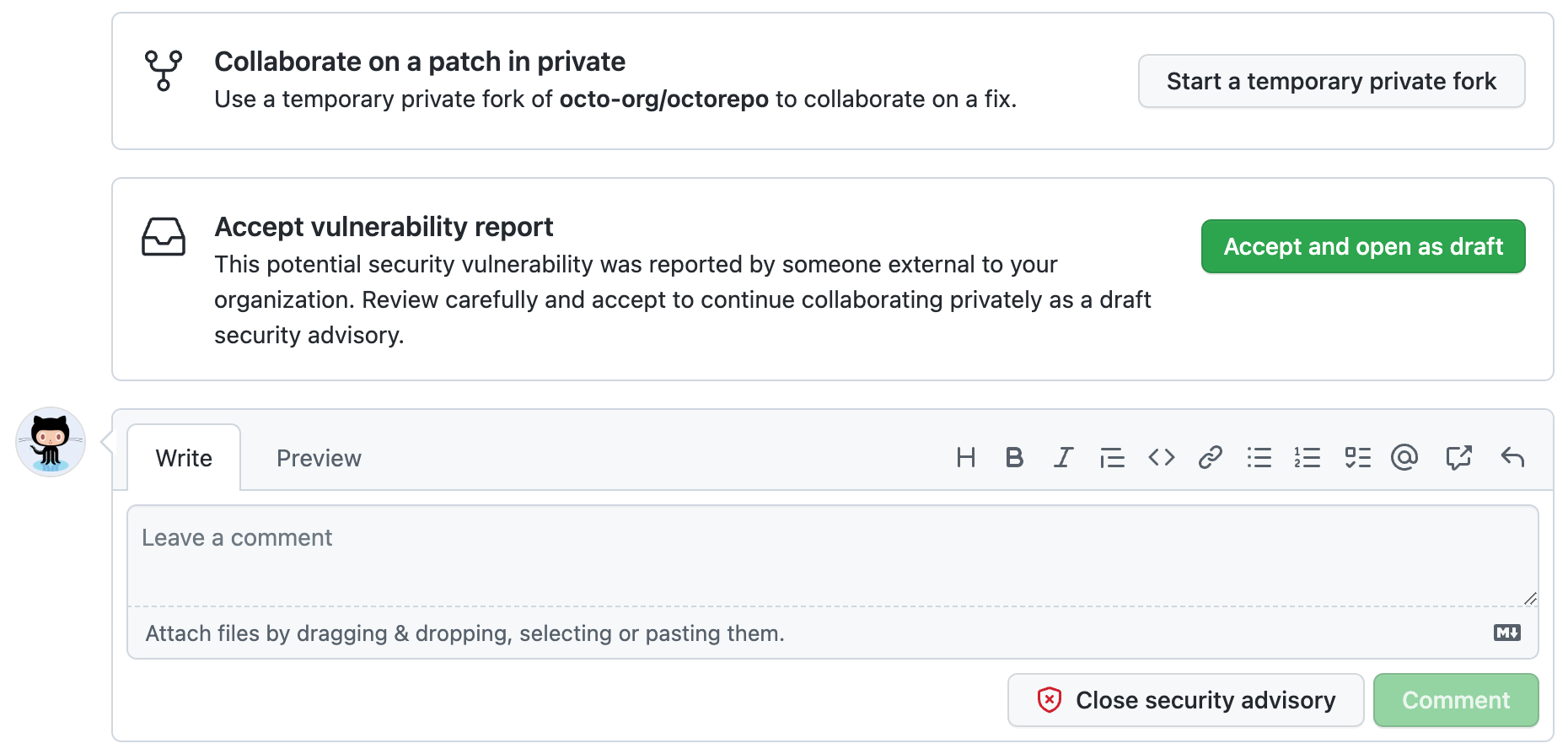
Carefully review the report, then choose how to proceed.
-
To collaborate on a patch in private, click Start a temporary private fork to create a place for further discussions with the contributor. This does not change the status of the proposed advisory from
Triage. -
To accept the reported vulnerability, click Accept and open as draft to accept the vulnerability report as a draft advisory on GitHub. If you choose this option:
- This doesn't make the report public.
- The report becomes a draft repository security advisory and you can work on it in the same way as any draft advisory that you create. For more information on security advisories, see Sobre os avisos de segurança do repositório.
-
To ask for more information, or to open a discussion with the reporter, you can comment on the advisory. Any comments are visible only to the reporter and to any collaborators on the advisory.
-
If you have enough information to determine that the problem the reporter describes is not a security risk, click Close security advisory. Where possible, you should add a comment explaining why you don't consider the report a security risk before you close the advisory.
-


