Hinweis
Dieser Artikel gilt für die Bearbeitung von Empfehlungen auf Repositoryebene als Besitzer eines öffentlichen Repositorys.
Benutzer, die keine Repositorybesitzer sind, können zu globalen Sicherheitsempfehlungen in der GitHub Advisory Database unter github.com/advisories beitragen. Die Bearbeitung globaler Empfehlungen hat keine Auswirkungen auf die Darstellung der Empfehlung im Repository. Weitere Informationen finden Sie unter Editing security advisories in the GitHub Advisory Database.
Prerequisites
Before you can publish a security advisory or request a CVE identification number, you must create a draft security advisory and provide information about the versions of your project affected by the security vulnerability. For more information, see Creating a repository security advisory.
If you've created a security advisory but haven't yet provided details about the versions of your project that the security vulnerability affects, you can edit the security advisory. For more information, see Editing a repository security advisory.
About publishing a security advisory
When you publish a security advisory, you notify your community about the security vulnerability that the security advisory addresses. Publishing a security advisory makes it easier for your community to update package dependencies and research the impact of the security vulnerability.
Du kannst auch Sicherheitsempfehlungen für Repositorys verwenden, um die Details eines bereits an anderer Stelle gemeldeten Sicherheitsrisikos erneut zu veröffentlichen. Kopiere hierfür die Details des Sicherheitsrisikos, und füge sie in eine neue Sicherheitsempfehlung ein.
Before you publish a security advisory, you can privately collaborate to fix the vulnerability in a temporary private fork. For more information, see Collaborating in a temporary private fork to resolve a repository security vulnerability.
Warnung
Whenever possible, you should always add a fix version to a security advisory prior to publishing the advisory. If you don't, the advisory will be published without a fixed version, and Dependabot will alert your users about the issue, without offering any safe version to update to.
We recommend you take the following steps in these different situations:
- If a fix version is imminently available, and you are able to, wait to disclose the issue when the fix is ready.
- If a fix version is in development but not yet available, mention this in the advisory, and edit the advisory later, after publication.
- If you are not planning to fix the issue, be clear about it in the advisory so that your users don't contact you to ask when a fix will be made. In this case, it is helpful to include steps users can take to mitigate the issue.
When you publish a draft advisory from a public repository, everyone is able to see:
- The current version of the advisory data.
- Any advisory credits that the credited users have accepted.
Hinweis
The general public will never have access to the edit history of the advisory, and will only see the published version.
After you publish a security advisory, the URL for the security advisory will remain the same as before you published the security advisory. Anyone with read access to the repository can see the security advisory. Collaborators on the security advisory can continue to view past conversations, including the full comment stream, in the security advisory unless someone with admin permissions removes the collaborator from the security advisory.
If you need to update or correct information in a security advisory that you've published, you can edit the security advisory. For more information, see Editing a repository security advisory.
Publishing a security advisory
Publishing a security advisory deletes the temporary private fork for the security advisory.
-
Navigieren Sie auf GitHub zur Hauptseite des Repositorys.
-
Klicke unter dem Repositorynamen auf Security. Wenn die Registerkarte „Security“ nicht angezeigt wird, klicke im Dropdownmenü auf Security.

-
Klicke in der linken Randleiste unter „Reporting“ auf Advisories.
-
In the "Security Advisories" list, click the name of the security advisory you'd like to publish.
-
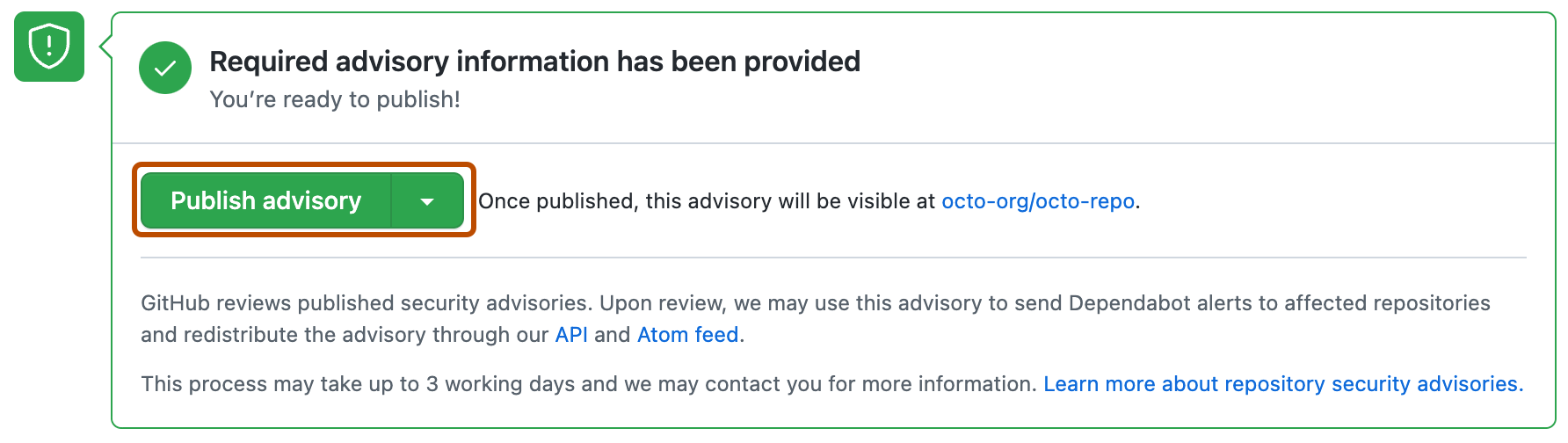
Scroll to the bottom of the advisory form and click Publish advisory.


Hinweis
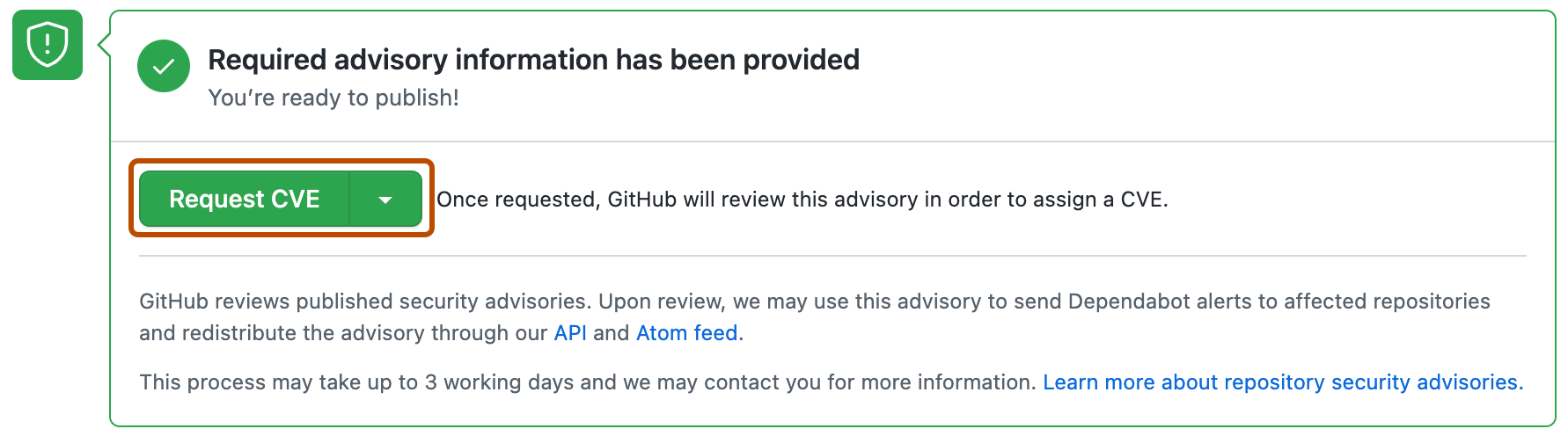
If you selected "Request CVE ID later", you will see a Request CVE button in place of the Publish advisory button. For more information, see Requesting a CVE identification number (Optional) below.
Dependabot alerts for published security advisories
GitHub überprüft jede veröffentlichte Sicherheitsempfehlung, fügt sie der GitHub Advisory Database hinzu und verwendet sie möglicherweise zum Senden von Dependabot alerts an betroffene Repositorys. Wenn der Sicherheitshinweis von einer Fork kommt, senden wir nur dann eine Warnung, wenn der Fork ein Paket besitzt, das unter einem eineindeutigen Namen in einem öffentlichen Paket-Registry veröffentlicht wurde. Dieser Prozess kann bis zu 72 Stunden dauern und GitHub kann Dich für weitere Informationen kontaktieren.
Weitere Informationen zu Dependabot alerts findest du unter Informationen zu Dependabot-Warnungen und Informationen zu Dependabot-Sicherheitsupdates. Weitere Informationen zur GitHub Advisory Database findest du unter Browsing security advisories in the GitHub Advisory Database.
Requesting a CVE identification number (Optional)
Wenn du eine CVE-Identifikationsnummer für das Sicherheitsrisiko in deinem Projekt wünschst und noch keine hast, kannst du eine CVE-Identifikationsnummer bei GitHub anfordern. GitHub prüft die Anforderung normalerweise binnen 72 Stunden. Durch Anfordern einer CVE-Identifikationsnummer wird deine Sicherheitsempfehlung nicht publik gemacht. Wenn deine Sicherheitsempfehlung für ein CVE in Frage kommt, reserviert GitHub eine CVE-Identifikationsnummer für deine Empfehlung. Wir veröffentlichen dann die CVE-Details, nachdem du deine Sicherheitsempfehlung publik gemacht hast. Personen mit Administratorberechtigungen für eine Sicherheitsempfehlung können eine CVE-Identifikationsnummer anfordern.
Wenn du bereits eine CVE hast, die du verwenden möchtest, z. B. weil du eine andere CNA (CVE Numbering Authority) als GitHub verwendest, füge die CVE in das Sicherheitsempfehlungsformular ein. Das kann z. B. der Fall sein, wenn du die Empfehlung mit anderen Mitteilungen in Einklang bringen möchtest, die du zum Veröffentlichungszeitpunkt senden möchtest. GitHub kann deinem Projekt keine CVEs zuweisen, wenn es von einer anderen CNA bearbeitet wird. For more information, see Informationen zu Sicherheitsempfehlungen für Repositorys.
-
Navigieren Sie auf GitHub zur Hauptseite des Repositorys.
-
Klicke unter dem Repositorynamen auf Security. Wenn die Registerkarte „Security“ nicht angezeigt wird, klicke im Dropdownmenü auf Security.
-
Klicke in der linken Randleiste unter „Reporting“ auf Advisories.
-
In the "Security Advisories" list, click the name of the security advisory you'd like to request a CVE identification number for.
-
Scroll to the bottom of the advisory form and click Request CVE.