Hinweis
Dieser Artikel gilt für die Bearbeitung von Empfehlungen auf Repositoryebene als Besitzer eines öffentlichen Repositorys.
Benutzer, die keine Repositorybesitzer sind, können zu globalen Sicherheitsempfehlungen in der GitHub Advisory Database unter github.com/advisories beitragen. Die Bearbeitung globaler Empfehlungen hat keine Auswirkungen auf die Darstellung der Empfehlung im Repository. Weitere Informationen finden Sie unter Editing security advisories in the GitHub Advisory Database.
Prerequisites
Before you can collaborate in a temporary private fork, you must create a draft security advisory. For more information, see Creating a repository security advisory.
Creating a temporary private fork
To keep information about vulnerabilities secure, integrations, including CI, cannot access temporary private forks.
-
Navigieren Sie auf GitHub zur Hauptseite des Repositorys.
-
Klicke unter dem Repositorynamen auf Security. Wenn die Registerkarte „Security“ nicht angezeigt wird, klicke im Dropdownmenü auf Security.

-
Klicke in der linken Randleiste unter „Reporting“ auf Advisories.
-
In the "Security Advisories" list, click the name of the security advisory you'd like to create a temporary private fork in.
-
Scroll to the bottom of the advisory form and click Start a temporary private fork.

A private fork of the repository is created and shown on the advisory page.
The naming convention for the private fork is very similar to the convention used for advisories in the GitHub Advisory Database and follows this format:
repo-ghsa-xxxx-xxxx-xxxx, where:repois the name of the repository. To stay under the 100 character limit on repository names, we truncate the original repository's name to 80 characters.xxxx-xxxx-xxxxis the unique identifier of the draft security advisory:xis a letter or a number from the following set:23456789cfghjmpqrvwx.- The numbers and letters are randomly assigned.
- All letters and numbers are lowercase.


For example, if you create a temporary private fork in a repository called octocat-repo, and the automatically generated ID for the draft advisory is GHSA-x854-cvjg-vx26, the temporary fork will be called octocat-repo-ghsa-x854-cvjg-vx26.
You can also use the REST API to create temporary private forks. For more information, see Create a temporary private fork in the REST API documentation.
Adding collaborators to a temporary private fork
Anyone with admin permissions to a security advisory can add additional collaborators to the security advisory, and collaborators on the security advisory can access the temporary private fork. For more information, see Adding a collaborator to a repository security advisory.
Adding changes to a temporary private fork
Anyone with write permissions to a security advisory can collaborate on a patch by committing changes to a temporary private fork.
-
Navigieren Sie auf GitHub zur Hauptseite des Repositorys.
-
Klicke unter dem Repositorynamen auf Security. Wenn die Registerkarte „Security“ nicht angezeigt wird, klicke im Dropdownmenü auf Security.
-
Klicke in der linken Randleiste unter „Reporting“ auf Advisories.
-
In the "Security Advisories" list, click the name of the security advisory you'd like to work on.
-
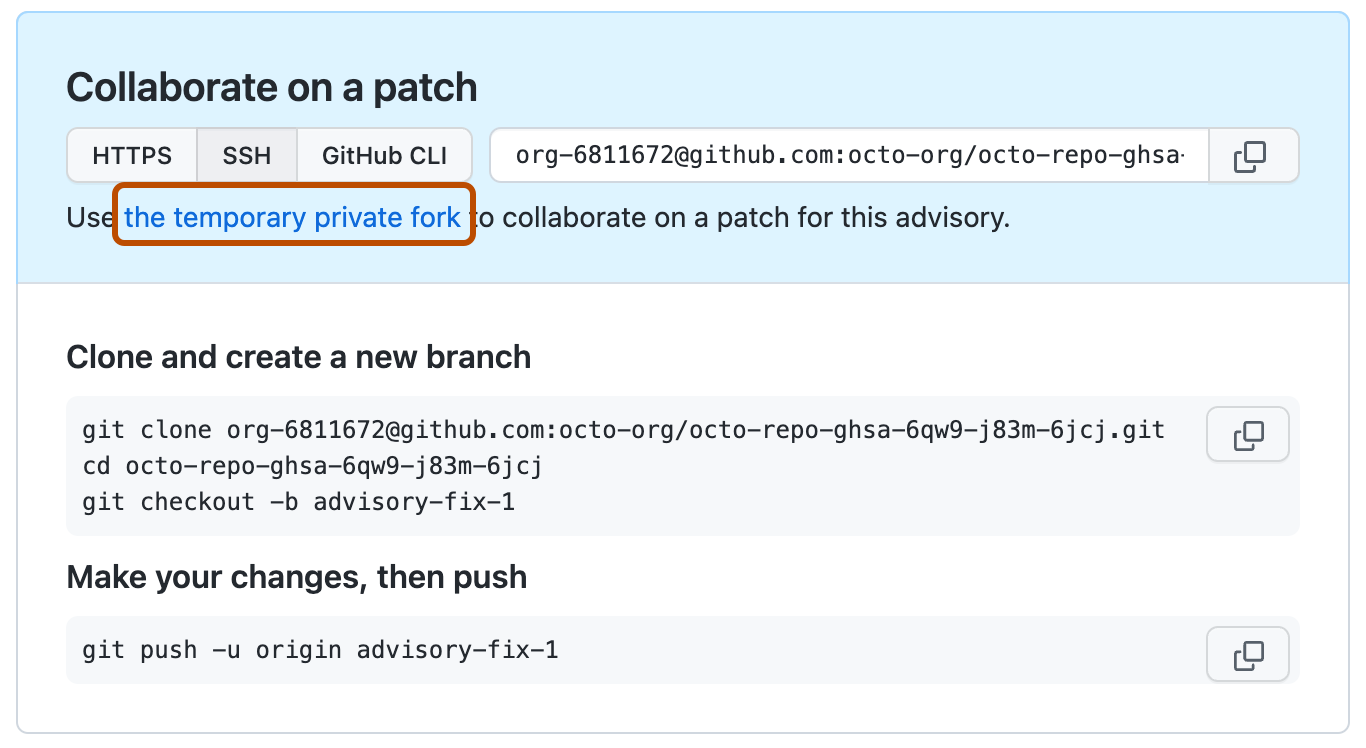
You can make your changes on GitHub or locally:
- To make your changes on GitHub, under "Collaborate on a patch", click the temporary private fork. Then, create a new branch and edit files. For more information, see Erstellen und Löschen von Branches in deinem Repository and Bearbeiten von Dateien.
- To add changes locally, follow the instructions under "Clone and create a new branch" and "Make your changes, then push."

Creating a pull request from a temporary private fork
Anyone with write permissions to a security advisory can create a pull request from a temporary private fork.
-
Navigieren Sie auf GitHub zur Hauptseite des Repositorys.
-
Klicke unter dem Repositorynamen auf Security. Wenn die Registerkarte „Security“ nicht angezeigt wird, klicke im Dropdownmenü auf Security.
-
Klicke in der linken Randleiste unter „Reporting“ auf Advisories.
-
In the "Security Advisories" list, click the name of the security advisory you'd like to create a pull request in.
-
Scroll to the bottom of the advisory form. Then, under "Collaborate on a patch", click Compare & pull request to create a pull request for the associated branch.
The "Open a pull request" includes a header showing the branches that will be compared in a three-dot Git diff comparison when the pull request is created. For more information, see Informationen zum Vergleich von Branches in Pull Requests.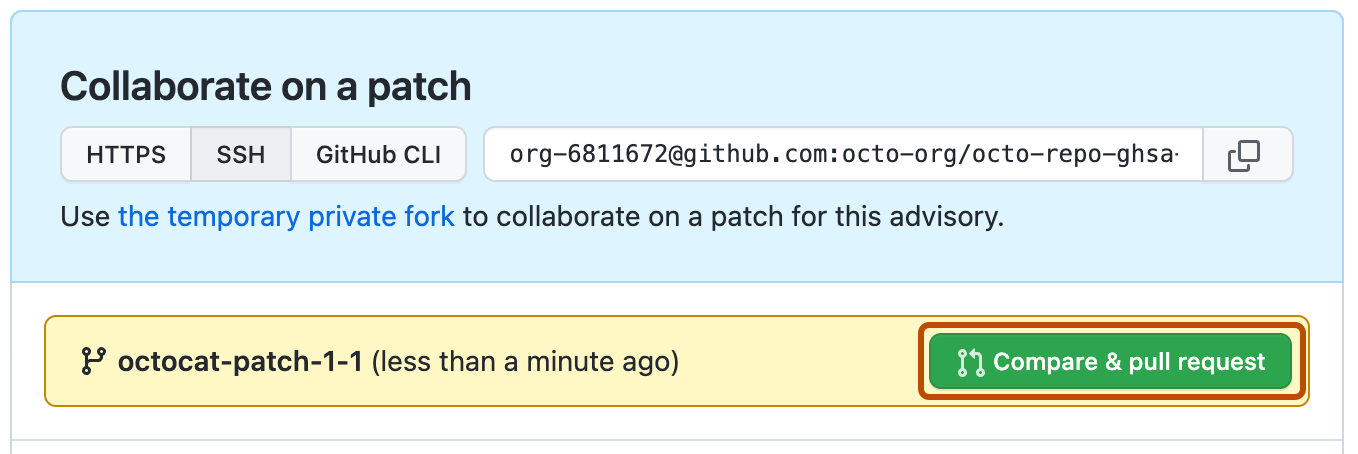
-
Klicke zum Erstellen eines Pull Requests, der überprüft werden kann, auf Pull Request erstellen. Verwende zum Erstellen eines Pull Request-Entwurfs das Dropdownmenü. Wähle Pull Request-Entwurf erstellen aus, und klicke anschließend auf Pull Request-Entwurf. Wenn Sie Mitglied einer Organisation sind, müssen Sie gegebenenfalls den Zugriff auf Entwürfe von Pull Requests von einem Organisationsbesitzer anfordern. Weitere Informationen findest du unter Informationen zu Pull Requests.

Du kannst individuelle Pull Requests nicht in einer temporären, privaten Fork zusammenführen. Stattdessen führst Du alle offenen Pull Requests gleichzeitig im entsprechenden Sicherheitshinweis zusammen. For more information, see Merging changes in a security advisory.
Merging changes in a security advisory
Anyone with admin permissions to a security advisory can merge changes in a security advisory.
Du kannst individuelle Pull Requests nicht in einer temporären, privaten Fork zusammenführen. Stattdessen führst Du alle offenen Pull Requests gleichzeitig im entsprechenden Sicherheitshinweis zusammen.
Before you can merge changes in a security advisory, every open pull request in the temporary private fork must be mergeable. To keep information about vulnerabilities secure, status checks do not run on pull requests in temporary private forks. For more information, see Informationen zu geschützten Branches.
Additionally, there can be no merge conflicts, and GitHub won't enforce any of the protection rules that you may have set up for the branch you're trying to merge the changes in to.
- Navigieren Sie auf GitHub zur Hauptseite des Repositorys.
- Klicke unter dem Repositorynamen auf Security. Wenn die Registerkarte „Security“ nicht angezeigt wird, klicke im Dropdownmenü auf Security.
- Klicke in der linken Randleiste unter „Reporting“ auf Advisories.
- In the "Security Advisories" list, click the name of the security advisory with changes that you'd like to merge.
- Scroll to the bottom of the advisory form. Then, under "This advisory is ready to be merged", click Merge pull request(s) to merge all open pull requests in the temporary private fork.

Hinweis
You can only merge one pull request into the main branch of a temporary private fork. If more than one pull request targets the main branch, merging is blocked.
After you merge changes in a security advisory, you can publish the security advisory to alert your community about the security vulnerability in previous versions of your project. For more information, see Publishing a repository security advisory.