公共存储库的所有者和管理员可以对其存储库启用专用漏洞报告。 有关详细信息,请参阅“Configuring private vulnerability reporting for a repository”。
About privately reporting a security vulnerability
Private vulnerability reporting makes it easy for security researchers to report vulnerabilities directly to you using a simple form.
When a security researcher reports a vulnerability privately, you are notified and can choose to either accept it, ask more questions, or reject it. If you accept the report, you're ready to collaborate on a fix for the vulnerability in private with the security researcher.
Managing security vulnerabilities that are privately reported
在启用了私人漏洞报告的仓库中私下报告新漏洞时,GitHub 会在以下情况下通知仓库维护员和安全管理员:
- 他们正在监视存储库中的所有活动。
- 他们为存储库启用了通知。
For more information about configuring notification preferences, see Configuring private vulnerability reporting for a repository.
-
在 GitHub 上,导航到存储库的主页面。
-
在仓库名称下,单击 “Security”****。 如果看不到“Security”选项卡,请选择 下拉菜单,然后单击“Security”********。

-
在左边栏中的“Reporting”下,单击 “Advisories”****。
-
Click the advisory you want to review. An advisory that was reported privately has a status of
Triage.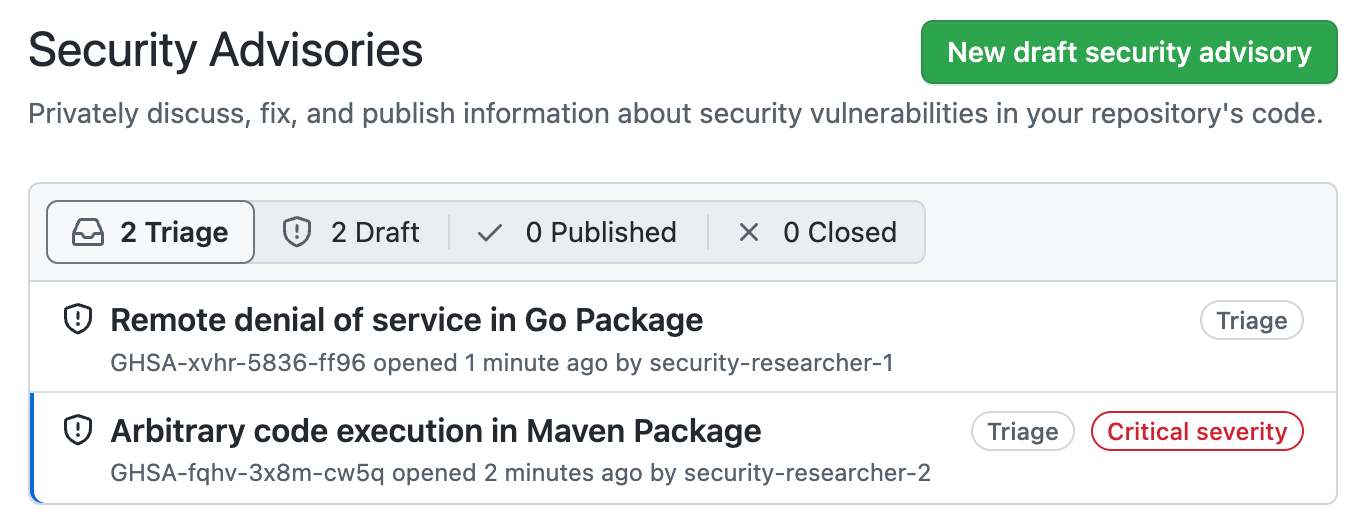
-
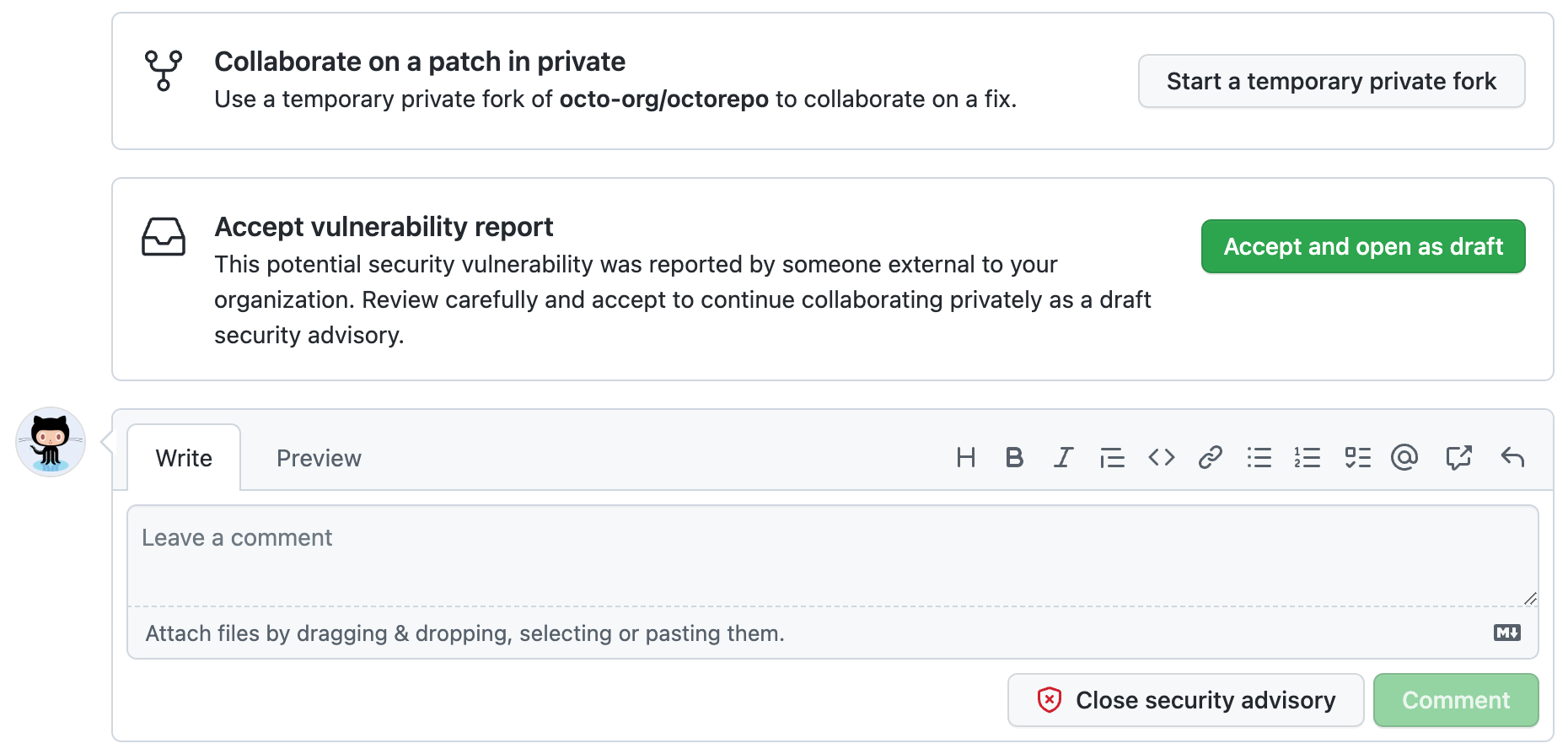
Carefully review the report, then choose how to proceed.
-
To collaborate on a patch in private, click Start a temporary private fork to create a place for further discussions with the contributor. This does not change the status of the proposed advisory from
Triage. -
To accept the reported vulnerability, click Accept and open as draft to accept the vulnerability report as a draft advisory on GitHub. If you choose this option:
- This doesn't make the report public.
- The report becomes a draft repository security advisory and you can work on it in the same way as any draft advisory that you create. For more information on security advisories, see 关于存储库安全公告.
-
To ask for more information, or to open a discussion with the reporter, you can comment on the advisory. Any comments are visible only to the reporter and to any collaborators on the advisory.
-
If you have enough information to determine that the problem the reporter describes is not a security risk, click Close security advisory. Where possible, you should add a comment explaining why you don't consider the report a security risk before you close the advisory.
-


