注意
本文适用于以公共存储库所有者身份编辑存储库级别建议的情形。
不是存储库所有者的用户可以在 github.com/advisories 上的 GitHub Advisory Database 中参与全局安全建议。 对全局公告的编辑不会改变或影响公告在存储库中的显示方式。 有关详细信息,请参阅“Editing security advisories in the GitHub Advisory Database”。
Prerequisites
Before you can collaborate in a temporary private fork, you must create a draft security advisory. For more information, see Creating a repository security advisory.
Creating a temporary private fork
To keep information about vulnerabilities secure, integrations, including CI, cannot access temporary private forks.
-
在 GitHub 上,导航到存储库的主页面。
-
在仓库名称下,单击 “Security”****。 如果看不到“Security”选项卡,请选择 下拉菜单,然后单击“Security”********。

-
在左边栏中的“Reporting”下,单击 “Advisories”****。
-
In the "Security Advisories" list, click the name of the security advisory you'd like to create a temporary private fork in.
-
Scroll to the bottom of the advisory form and click Start a temporary private fork.

A private fork of the repository is created and shown on the advisory page.
The naming convention for the private fork is very similar to the convention used for advisories in the GitHub Advisory Database and follows this format:
repo-ghsa-xxxx-xxxx-xxxx, where:repois the name of the repository. To stay under the 100 character limit on repository names, we truncate the original repository's name to 80 characters.xxxx-xxxx-xxxxis the unique identifier of the draft security advisory:xis a letter or a number from the following set:23456789cfghjmpqrvwx.- The numbers and letters are randomly assigned.
- All letters and numbers are lowercase.


For example, if you create a temporary private fork in a repository called octocat-repo, and the automatically generated ID for the draft advisory is GHSA-x854-cvjg-vx26, the temporary fork will be called octocat-repo-ghsa-x854-cvjg-vx26.
You can also use the REST API to create temporary private forks. For more information, see Create a temporary private fork in the REST API documentation.
Adding collaborators to a temporary private fork
Anyone with admin permissions to a security advisory can add additional collaborators to the security advisory, and collaborators on the security advisory can access the temporary private fork. For more information, see Adding a collaborator to a repository security advisory.
Adding changes to a temporary private fork
Anyone with write permissions to a security advisory can collaborate on a patch by committing changes to a temporary private fork.
-
在 GitHub 上,导航到存储库的主页面。
-
在仓库名称下,单击 “Security”****。 如果看不到“Security”选项卡,请选择 下拉菜单,然后单击“Security”********。
-
在左边栏中的“Reporting”下,单击 “Advisories”****。
-
In the "Security Advisories" list, click the name of the security advisory you'd like to work on.
-
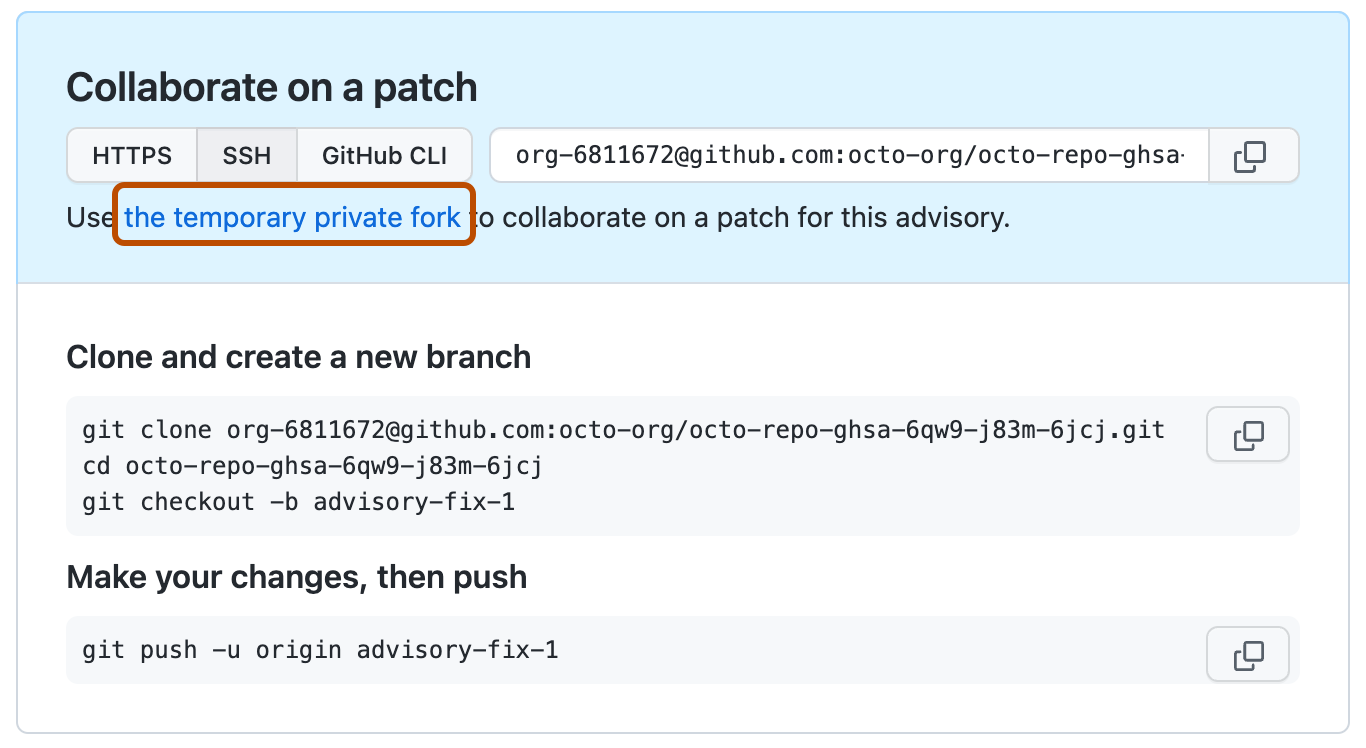
You can make your changes on GitHub or locally:
- To make your changes on GitHub, under "Collaborate on a patch", click the temporary private fork. Then, create a new branch and edit files. For more information, see 创建和删除仓库中的分支 and 编辑文件.
- To add changes locally, follow the instructions under "Clone and create a new branch" and "Make your changes, then push."

Creating a pull request from a temporary private fork
Anyone with write permissions to a security advisory can create a pull request from a temporary private fork.
-
在 GitHub 上,导航到存储库的主页面。
-
在仓库名称下,单击 “Security”****。 如果看不到“Security”选项卡,请选择 下拉菜单,然后单击“Security”********。
-
在左边栏中的“Reporting”下,单击 “Advisories”****。
-
In the "Security Advisories" list, click the name of the security advisory you'd like to create a pull request in.
-
Scroll to the bottom of the advisory form. Then, under "Collaborate on a patch", click Compare & pull request to create a pull request for the associated branch.
The "Open a pull request" includes a header showing the branches that will be compared in a three-dot Git diff comparison when the pull request is created. For more information, see 关于比较拉取请求中的分支.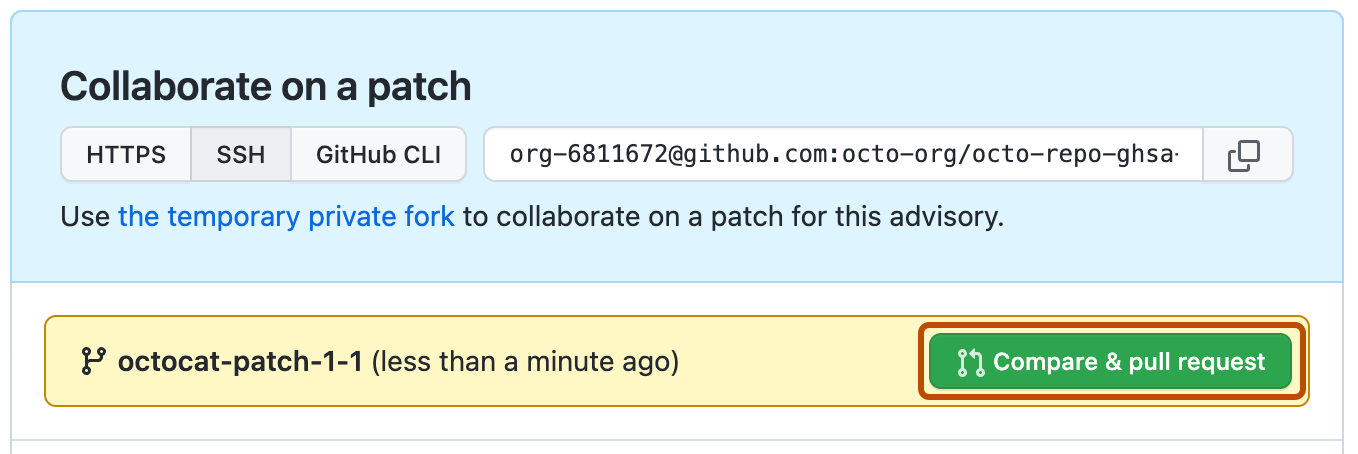
-
要创建可供审查的拉取请求,请单击“创建拉取请求”。 若要创建草稿拉取请求,请使用下拉列表并选择“创建草稿拉取请求”,然后单击“草稿拉取请求” 。 如果你是组织的成员,则可能需要从组织所有者请求对草稿拉取请求的访问权限。 请参阅“关于拉取请求”。

您不能在临时私有复刻中合并个别拉取请求。 而可以在相应的安全通告中一次合并所有打开的拉取请求。 For more information, see Merging changes in a security advisory.
Merging changes in a security advisory
Anyone with admin permissions to a security advisory can merge changes in a security advisory.
您不能在临时私有复刻中合并个别拉取请求。 而可以在相应的安全通告中一次合并所有打开的拉取请求。
Before you can merge changes in a security advisory, every open pull request in the temporary private fork must be mergeable. To keep information about vulnerabilities secure, status checks do not run on pull requests in temporary private forks. For more information, see 关于受保护分支.
Additionally, there can be no merge conflicts, and GitHub won't enforce any of the protection rules that you may have set up for the branch you're trying to merge the changes in to.
- 在 GitHub 上,导航到存储库的主页面。
- 在仓库名称下,单击 “Security”****。 如果看不到“Security”选项卡,请选择 下拉菜单,然后单击“Security”********。
- 在左边栏中的“Reporting”下,单击 “Advisories”****。
- In the "Security Advisories" list, click the name of the security advisory with changes that you'd like to merge.
- Scroll to the bottom of the advisory form. Then, under "This advisory is ready to be merged", click Merge pull request(s) to merge all open pull requests in the temporary private fork.

注意
You can only merge one pull request into the main branch of a temporary private fork. If more than one pull request targets the main branch, merging is blocked.
After you merge changes in a security advisory, you can publish the security advisory to alert your community about the security vulnerability in previous versions of your project. For more information, see Publishing a repository security advisory.