About this error
GitHub Code Security or GitHub Advanced Security must be enabled for this repository to use code scanning
403: GitHub Code Security or GitHub Advanced Security is not enabled
This error is reported if you try to run code scanning in a repository where GitHub Code Security is not enabled or where use of this feature is blocked by a policy.
You will only see this error for repositories with private or internal visibility. GitHub Code Security is enabled by default for all public repositories.
If you are on a GitHub Free or GitHub Pro plan, you can only use code scanning on repositories that are publicly available. To enable code scanning for private or internal repositories, you must upgrade to GitHub Team or GitHub Enterprise with GitHub Code Security and enable Code Security for the repository. For more information, see Planes de GitHub and Acerca de GitHub Advanced Security.
Confirming the cause of the error
-
En GitHub, navegue hasta la página principal del repositorio.
-
Debajo del nombre del repositorio, haz clic en Settings. Si no puedes ver la pestaña "Configuración", selecciona el menú desplegable y, a continuación, haz clic en Configuración.

-
En la sección "Security" de la barra lateral, haz clic en Advanced Security.
-
On the settings page, scroll down to "Code Security."
-
If there is an associated and active Enable button, GitHub Code Security is available for this repository but not yet enabled.
-
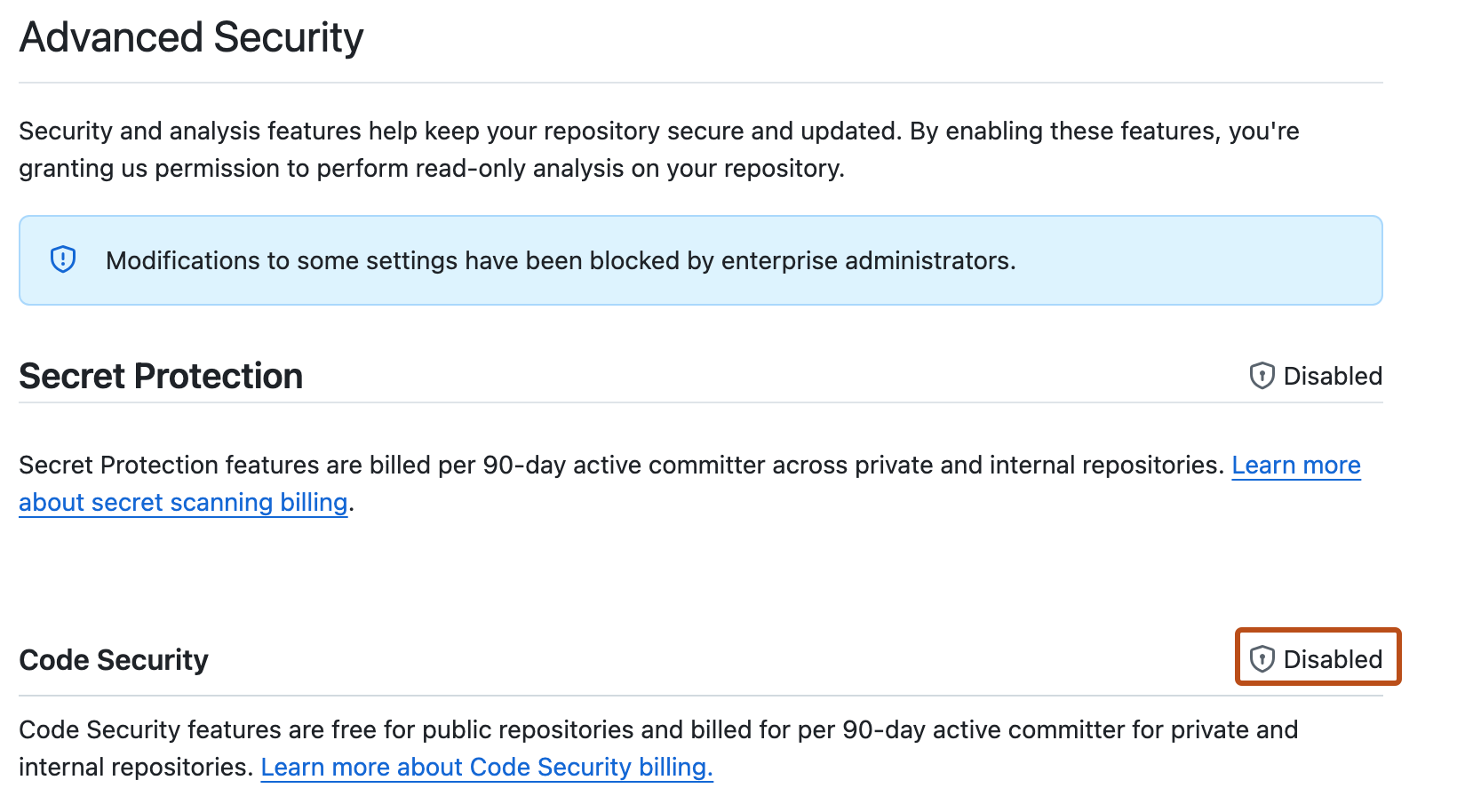
If use of GitHub Code Security is blocked by a policy, " Disabled" is shown in place of the Enable button.


Fixing the problem
If GitHub Code Security is available to your repository, you can enable it on the settings page.
If GitHub Code Security is blocked by a policy, you first need to request access.
Requesting access to GitHub Code Security
- In the "Advanced Security" settings, click the enterprise name to display a list of users with access to edit the policy that controls access to Code Security products. For more information, see Aplicación de directivas de seguridad y análisis de código de la empresa.
- Follow your company's policy for requesting access to additional features.
Enabling GitHub Code Security
- Open the "Code security" settings page.
- Next to the "Code Security" feature, click Enable.
- Rerun code scanning.