Cuando un investigador de seguridad notifica una vulnerabilidad de forma privada, se te notifica y puedes optar por aceptarla, formular más preguntas o rechazarla. Si aceptas el informe, estás a punto para colaborar en una corrección de la vulnerabilidad en privado con el investigador de seguridad.
Cuando se notifica de forma privada una nueva vulnerabilidad en un repositorio, GitHub notifica a los administradores de repositorios y administradores de seguridad si:
- Están monitoreando el repositorio para toda la actividad o están suscritos a las notificaciones de alertas de seguridad.
- Tienen notificaciones habilitadas para el repositorio.
Para más información sobre cómo configurar las preferencias de notificación, consulta Configuración de informes de vulnerabilidades privadas para un repositorio.
-
En GitHub, navegue hasta la página principal del repositorio.
-
En el nombre del repositorio, haga clic en la Security and quality pestaña . Si no puede ver la pestaña " Security and quality", seleccione el menú desplegable y, a continuación, haga clic en Security and quality.
-
En la barra lateral de la izquierda, en "Reporting", haz clic en Advisories.
-
Haz clic en el aviso que quieras revisar. Un aviso que se notificó de forma privada tiene un estado de
Triage.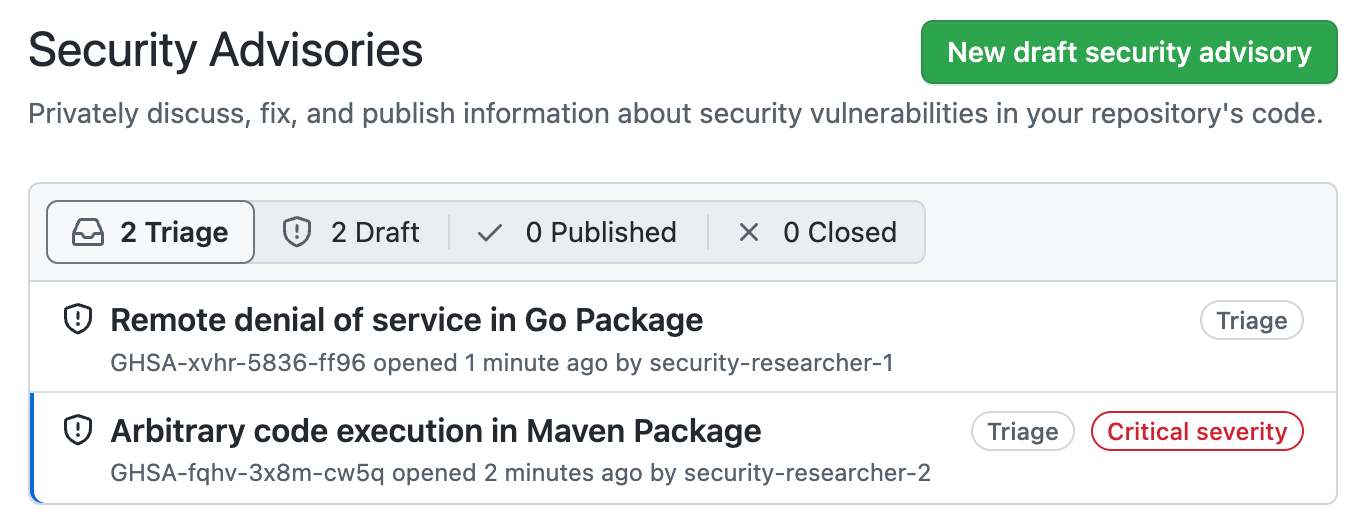
-
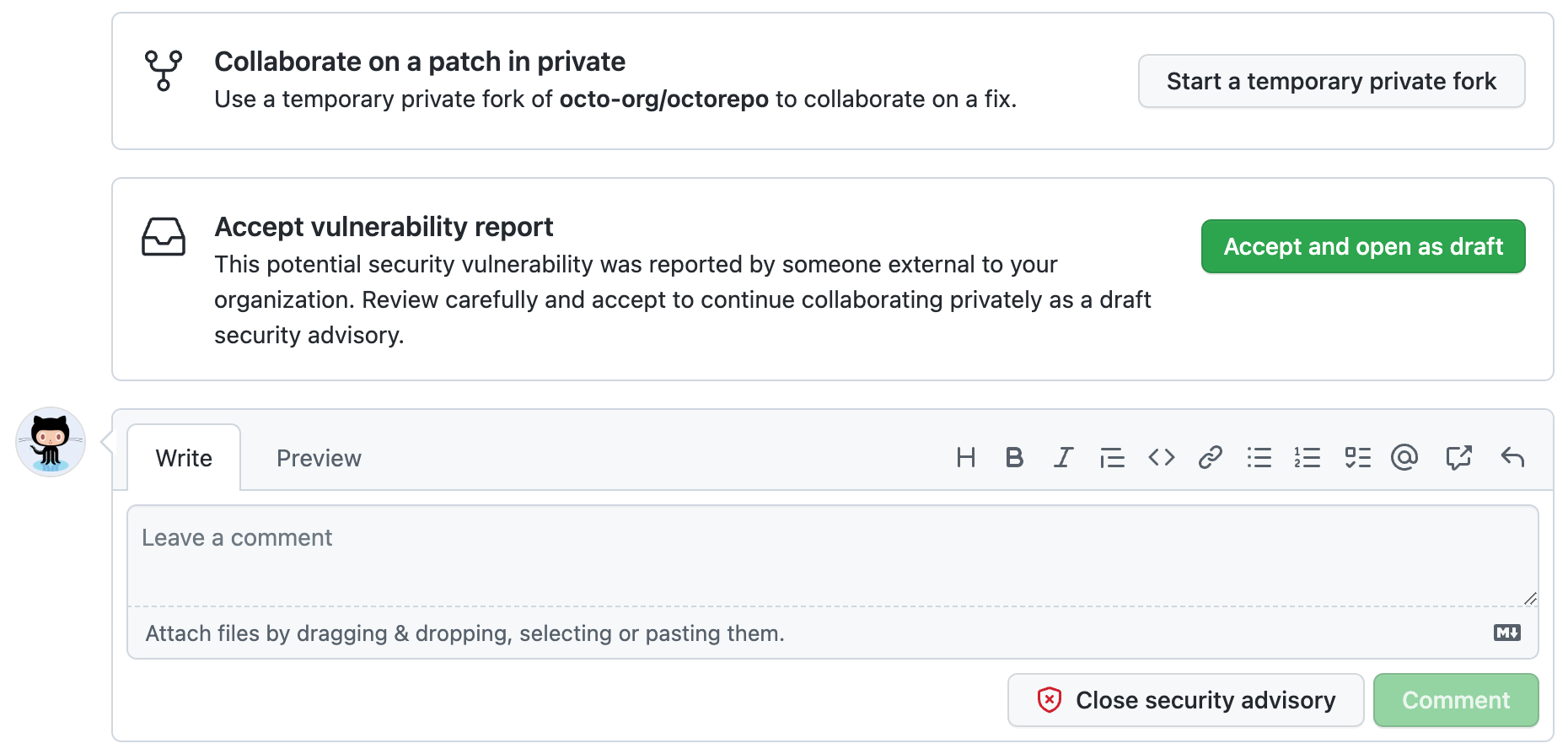
Revise cuidadosamente el informe y elija cómo continuar.
-
Para colaborar en un parche en privado, haz clic en Iniciar una bifurcación privada temporal para crear un lugar para continuar las discusiones con el colaborador. Esto no cambia el estado del aviso propuesto de
Triage. -
Para aceptar la vulnerabilidad notificada, haz clic en Aceptar y abrir como borrador para aceptar el informe de vulnerabilidades como un borrador de aviso sobre GitHub. Si eliges esta opción:
- El informe no se hará público.
- El informe se convertirá en un borrador de aviso de seguridad de repositorio y podrás trabajar en él de la misma manera que en cualquier otro borrador de aviso que crees. Para más información sobre los avisos de seguridad, consulta Acerca de las asesorías de seguridad de repositorio.
-
Para solicitar más información, o para abrir una conversación con el informador, puedes comentar el aviso. Los comentarios solo son visibles para el reportante y para cualquier colaborador del informe.
-
Si tienes suficiente información para determinar que el problema que describe el informador no es un riesgo de seguridad, haz clic en Cerrar aviso de seguridad. Siempre que sea posible, debes agregar un comentario que explique por qué no consideras el informe un riesgo de seguridad antes de cerrar el aviso.
-

