참고 항목
이 문서는 리포지토리 수준의 권고를 퍼블릭 리포지토리 소유자로서 편집하는 데 적용됩니다.
리포지토리를 소유하지 않은 사용자는 github.com/advisories에서 GitHub Advisory Database의 전체 보안 권고에 기여할 수 있습니다. 전역 공지에 대한 편집은 리포지토리에 공지가 표시되는 방식을 변경하거나 이에 영향을 미치지 않습니다. 자세한 내용은 Editing security advisories in the GitHub Advisory Database을(를) 참조하세요.
Adding a collaborator to a security advisory
Collaborators have write permissions to the security advisory. For more information, see 리포지토리 보안 공지에 대한 권한 수준.
참고 항목
리포지토리 또는 조직에서 사용자를 제거한 경우 해당 사용자가 보안 공지의 협력자이기도 한 경우 GitHub은(는) 보안 공지의 협력자인 사용자를 자동으로 제거합니다. 이를 통해 이전 협력자의 무단 액세스를 방지할 수 있습니다. For more information about removing a collaborator on a security advisory, see Removing a collaborator from a repository security advisory.
- GitHub에서 리포지토리의 기본 페이지로 이동합니다.
- 리포지토리 이름에서 Security를 클릭합니다. "Security" 탭이 표시되지 않으면 드롭다운 메뉴를 선택한 다음, Security를 클릭합니다.

- 왼쪽 사이드바의 "Reporting"에서 Advisories를 클릭합니다.
- In the "Security Advisories" list, click the security advisory you'd like to add a collaborator to.
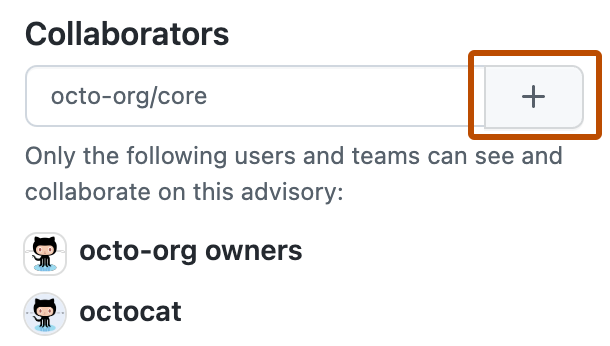
- On the right side of the page, under "Collaborators", type the name of the user or team you'd like to add to the security advisory.
- Click to add the selected user or team as a collaborator.