퍼블릭 리포지토리의 소유자 및 관리자는 해당 리포지토리에서 프라이빗 취약성 보고를 사용하도록 설정할 수 있습니다. 자세한 내용은 Configuring private vulnerability reporting for a repository을(를) 참조하세요.
About privately reporting a security vulnerability
Private vulnerability reporting makes it easy for security researchers to report vulnerabilities directly to you using a simple form.
When a security researcher reports a vulnerability privately, you are notified and can choose to either accept it, ask more questions, or reject it. If you accept the report, you're ready to collaborate on a fix for the vulnerability in private with the security researcher.
Managing security vulnerabilities that are privately reported
프라이빗 취약성 보고가 활성화된 리포지토리에서 새 취약성이 비공개로 보고되면 GitHub는 리포지토리 유지 관리자 및 보안 관리자에게 다음과 같은 경우 알림을 제공합니다.
- 모든 활동에 대해 리포지토리를 보고 있습니다.
- 리포지토리에 대해 알림이 활성화되어 있습니다.
For more information about configuring notification preferences, see Configuring private vulnerability reporting for a repository.
-
GitHub에서 리포지토리의 기본 페이지로 이동합니다.
-
리포지토리 이름에서 Security를 클릭합니다. "Security" 탭이 표시되지 않으면 드롭다운 메뉴를 선택한 다음, Security를 클릭합니다.

-
왼쪽 사이드바의 "Reporting"에서 Advisories를 클릭합니다.
-
Click the advisory you want to review. An advisory that was reported privately has a status of
Triage.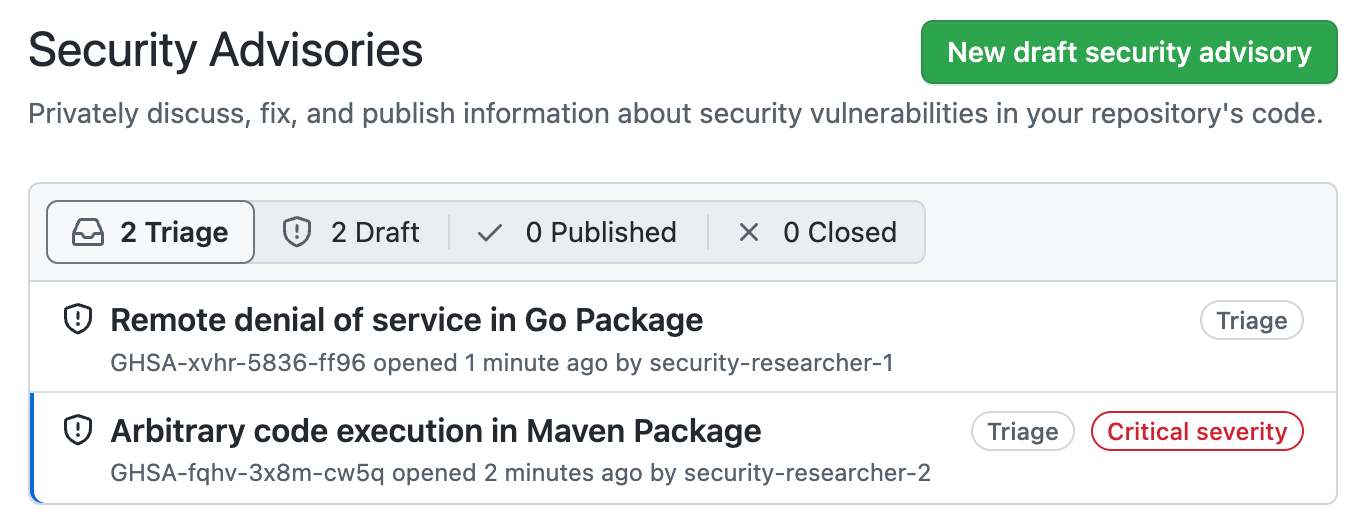
-
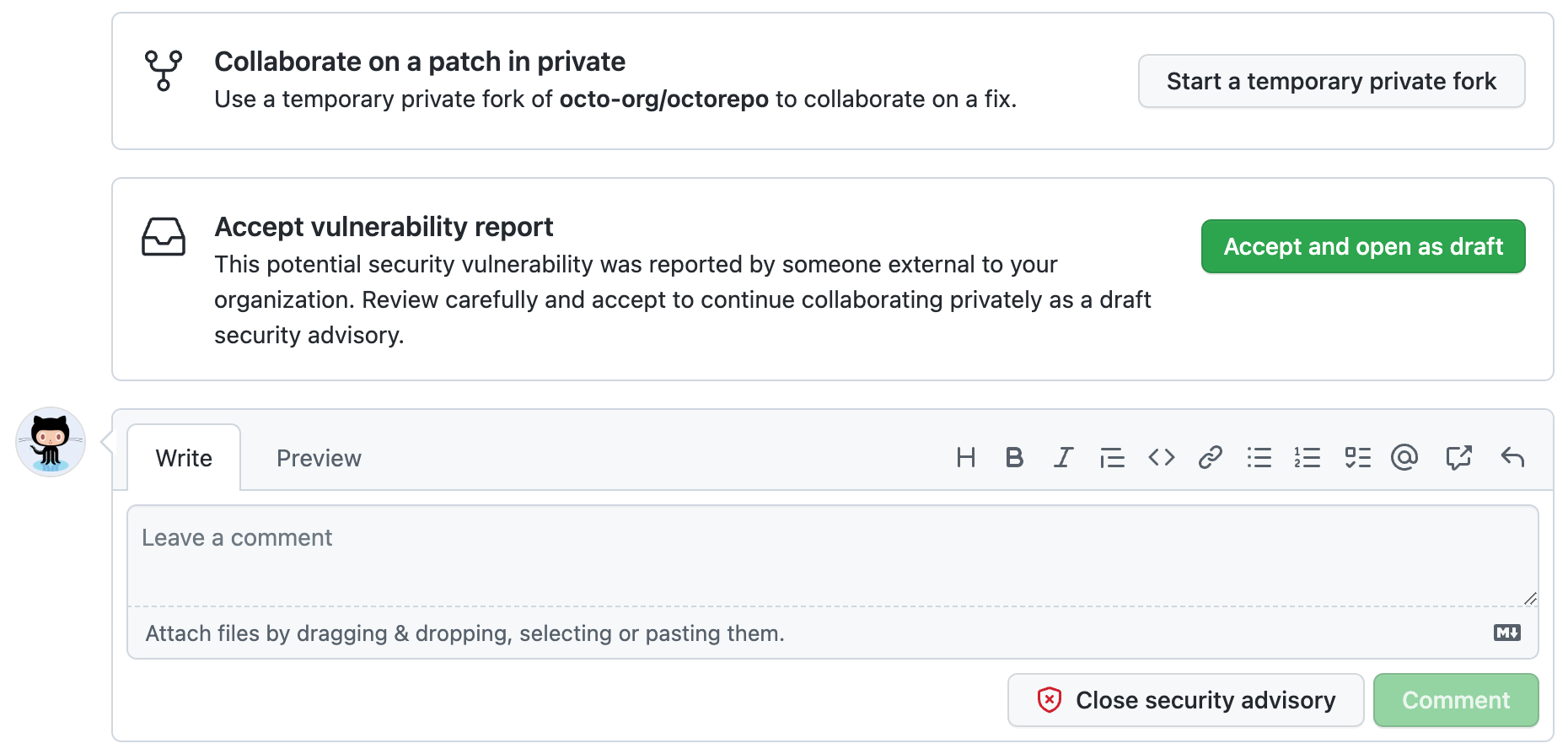
Carefully review the report, then choose how to proceed.
-
To collaborate on a patch in private, click Start a temporary private fork to create a place for further discussions with the contributor. This does not change the status of the proposed advisory from
Triage. -
To accept the reported vulnerability, click Accept and open as draft to accept the vulnerability report as a draft advisory on GitHub. If you choose this option:
- This doesn't make the report public.
- The report becomes a draft repository security advisory and you can work on it in the same way as any draft advisory that you create. For more information on security advisories, see 리포지토리 보안 공지 정보.
-
To ask for more information, or to open a discussion with the reporter, you can comment on the advisory. Any comments are visible only to the reporter and to any collaborators on the advisory.
-
If you have enough information to determine that the problem the reporter describes is not a security risk, click Close security advisory. Where possible, you should add a comment explaining why you don't consider the report a security risk before you close the advisory.
-


