About push protection for users
Push protection for users automatically protects you from accidentally committing secrets to public repositories across GitHub.
When you try to push a secret to a public repository, GitHub blocks the push. If you believe it's safe to allow the secret, you have the option to bypass the block. Otherwise, you must remove the secret from the commit before pushing again. For more information on how to resolve a blocked push, see Working with push protection in the GitHub UI or Working with push protection from the command line, depending on whether you use the GitHub UI or the command line.
Push protection for users is always on by default. You can disable the feature at any time through your personal account settings. This may cause secrets to be accidentally leaked. For more information, see Disabling push protection for users.
Push protection for users is different from push protection for repositories and organizations, which is a secret scanning feature that must be enabled by a repository administrator or organization owner. With push protection for repositories and organizations, secret scanning blocks contributors from pushing secrets to a repository and generates an alert whenever a contributor bypasses the protection. For more information, see Acerca de la protección de inserción.
With push protection for users, GitHub won't create an alert when you bypass the protection and push a secret to a public repository, unless the repository itself has secret scanning enabled. However, if the bypassed secret is a GitHub token, the token will be revoked and you will be notified by email.
For information on the secrets and service providers supported for push protection, see Patrones de examen de secretos admitidos.
Disabling push protection for users
You can disable push protection for users through your personal account settings.
-
En la esquina superior derecha de cualquier página en GitHub, haz clic en la fotografía de perfil y luego en Settings.
-
En la sección "Security" de la barra lateral, haz clic en Code security.
-
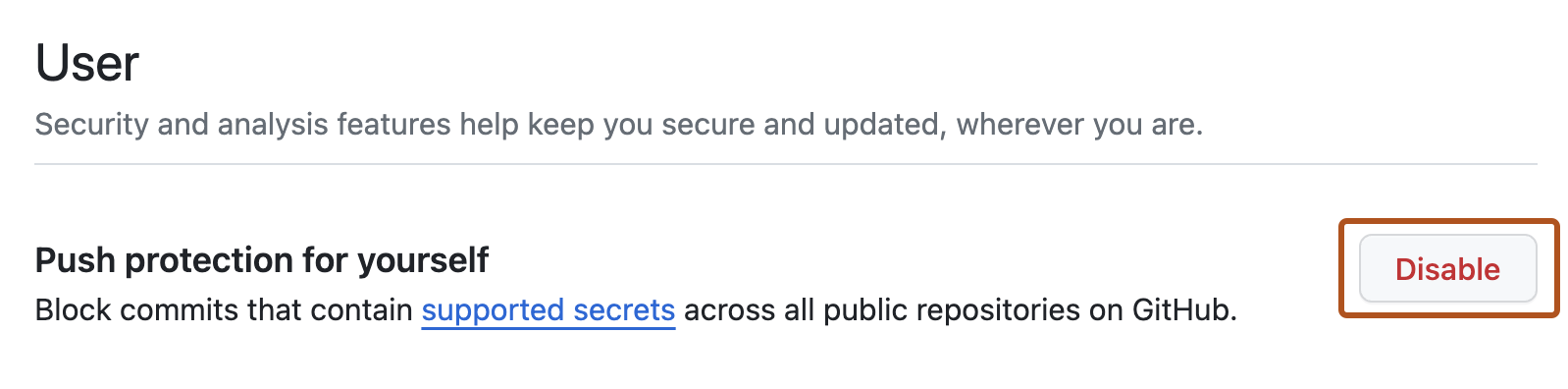
Under "User", to the right of "Push protection for yourself", click Disable.