About privately reporting a security vulnerability
Security researchers often feel responsible for alerting users to a vulnerability that could be exploited. If there are no clear instructions about contacting maintainers of the repository containing the vulnerability, security researchers may have no other choice but to post about the vulnerability on social media, send direct messages to the maintainer, or even create public issues. This situation can potentially lead to a public disclosure of the vulnerability details.
通过专用漏洞报告,安全研究人员可以轻松地使用简单的表单直接向你报告漏洞。
当安全研究人员私下报告漏洞时,你会收到通知并且可以选择接受报告、提出更多问题或拒绝报告。 如果接受报告,则可以与安全研究人员私下协作修复漏洞。
For maintainers, the benefits of using private vulnerability reporting are:
- 降低公开联系或通过不需要的方式联系的风险。
- 为简单起见,在解决这些漏洞的同一平台上接收报告
- 安全研究人员以维护人员身份创建或至少启动顾问报告。
- 维护人员在用于讨论和解决顾问的同一平台上接收报告。
- 漏洞不太可能出现在公众的视野中。
- 有机会与安全研究人员私下讨论漏洞详细信息并就补丁进行协作。
The instructions in this article refer to enablement at repository level. For information about enabling the feature at organization level, see 为组织配置专用漏洞报告.
Enabling or disabling private vulnerability reporting for a repository
-
在 GitHub 上,导航到存储库的主页面。
-
在仓库名称下,单击 “Settings”****。 如果看不到“设置”选项卡,请选择“”下拉菜单,然后单击“设置”。

-
在边栏的“Security”部分中,单击“ Advanced Security”****。
-
Under "Advanced Security", to the right of "Private vulnerability reporting", click Enable or Disable, to enable or disable the feature, respectively.
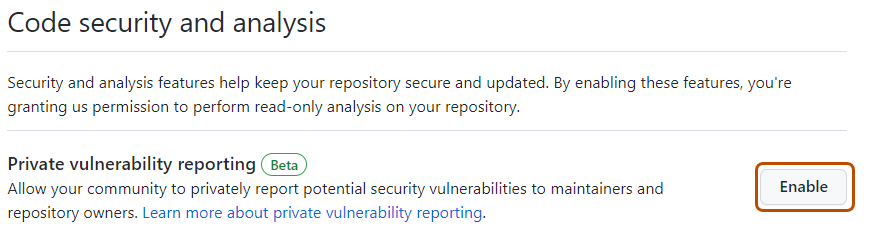


为存储库启用专用漏洞报告,安全研究人员将在存储库的“顾问”页面中看到一个新按钮。 安全研究人员可单击此按钮,私下向存储库维护人员报告安全漏洞。

安全研究人员还可以使用 REST API 私下报告安全漏洞。 有关详细信息,请参阅“私下报告安全漏洞”。
Configuring notifications for private vulnerability reporting
在启用了私人漏洞报告的仓库中私下报告新漏洞时,GitHub 会在以下情况下通知仓库维护员和安全管理员:
- 他们正在监视存储库中的所有活动。
- 他们为存储库启用了通知。
Notifications depend on the user's notification preferences. You will receive an email notification if:
- You are watching the repository.
- You have enabled notifications for "All Activity".
- In your notification settings, under "Subscriptions", then under "Watching", you have selected to receive notifications by email.
-
在 GitHub 上,导航到存储库的主页面。
-
To start watching the repository, select Watch.

-
In the dropdown menu, click All Activity.
-
Navigate to the notification settings for your personal account. These are available at https://github.com/settings/notifications.
-
On your notification settings page, under "Subscriptions," then under "Watching," select the Notify me dropdown.
-
Select "Email" as a notification option, then click Save.
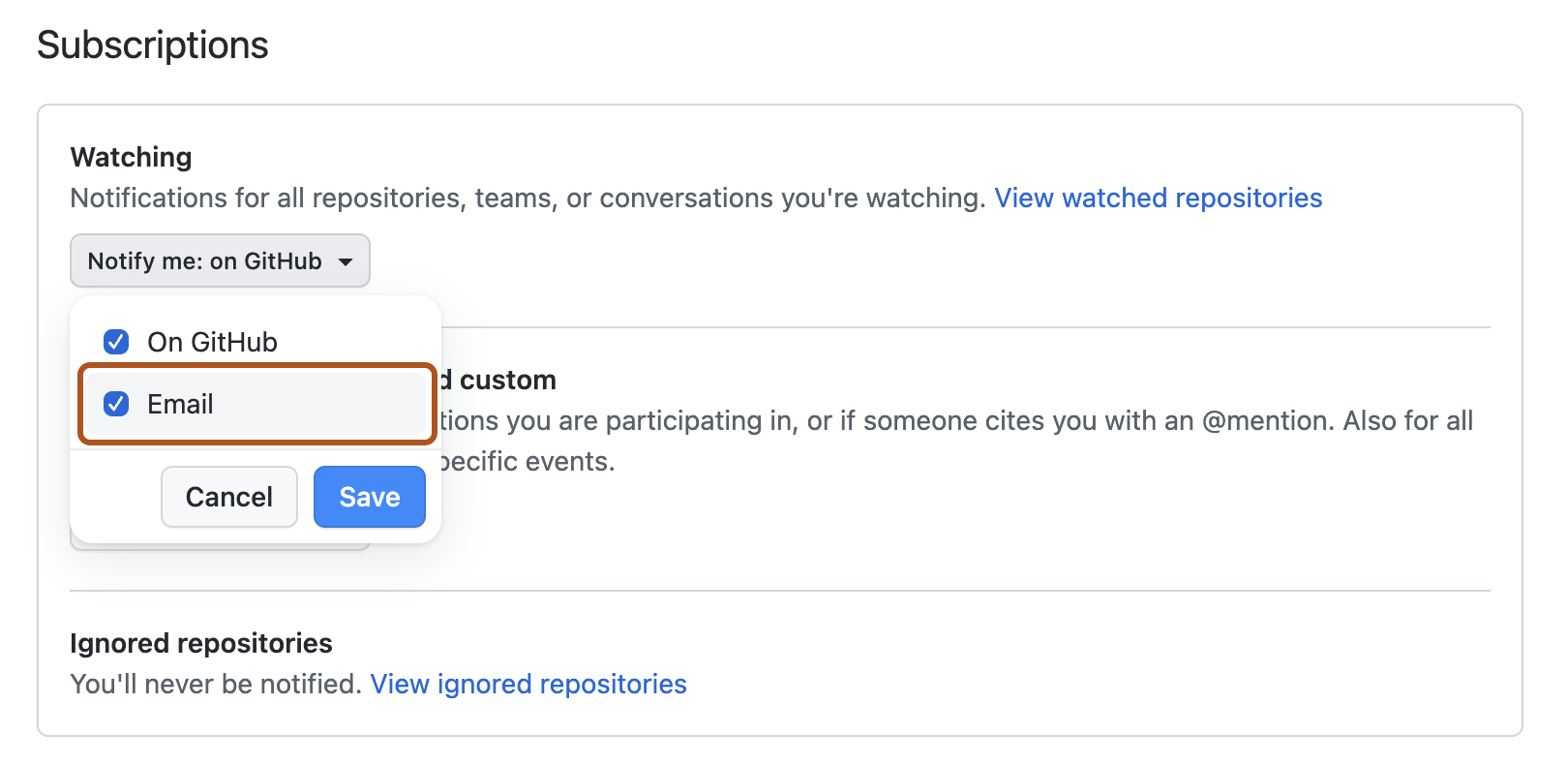


有关设置通知首选项的详细信息,请参阅 管理存储库的安全和分析设置 和为单个存储库配置监视设置。