注意
本文适用于以公共存储库所有者身份编辑存储库级别建议的情形。
不是存储库所有者的用户可以在 github.com/advisories 上的 GitHub Advisory Database 中参与全局安全建议。 对全局公告的编辑不会改变或影响公告在存储库中的显示方式。 有关详细信息,请参阅“Editing security advisories in the GitHub Advisory Database”。
Removing a collaborator from a security advisory
如果你从存储库或组织中删除某个用户,并且该用户也是安全公告上的协作者,GitHub 将自动删除该用户作为安全公告的协作者。 这可以防止任何未经授权的前协作者访问。
-
在 GitHub 上,导航到存储库的主页面。
-
在仓库名称下,单击 “Security”****。 如果看不到“Security”选项卡,请选择 下拉菜单,然后单击“Security”********。

-
在左边栏中的“Reporting”下,单击 “Advisories”****。
-
In the "Security Advisories" list, click the name of the security advisory you'd like to remove a collaborator from.
-
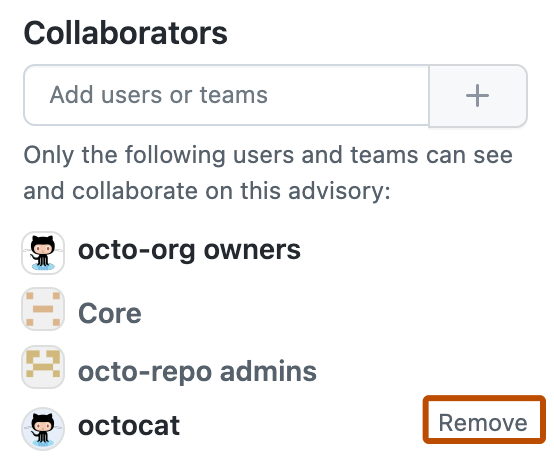
On the right side of the page, under "Collaborators", find the name of the user or team you'd like to remove from the security advisory.
-
Next to the collaborator you want to remove, click Remove.