About this error
GitHub Code Security or GitHub Advanced Security must be enabled for this repository to use code scanning
403: GitHub Code Security or GitHub Advanced Security is not enabled
This error is reported if you try to run code scanning in a repository where GitHub Code Security is not enabled or where use of this feature is blocked by a policy.
You will only see this error for repositories with private or internal visibility. GitHub Code Security is enabled by default for all public repositories.
Confirming the cause of the error
-
在 GitHub 上,导航到存储库的主页面。
-
在仓库名称下,单击 “Settings”****。 如果看不到“设置”选项卡,请选择“”下拉菜单,然后单击“设置”。

-
在边栏的“Security”部分中,单击“ Advanced Security”****。
-
On the settings page, scroll down to "Code Security."
-
If there is an associated and active Enable button, GitHub Code Security is available for this repository but not yet enabled.
-
If use of GitHub Code Security is blocked by a policy, " Disabled" is shown in place of the Enable button.
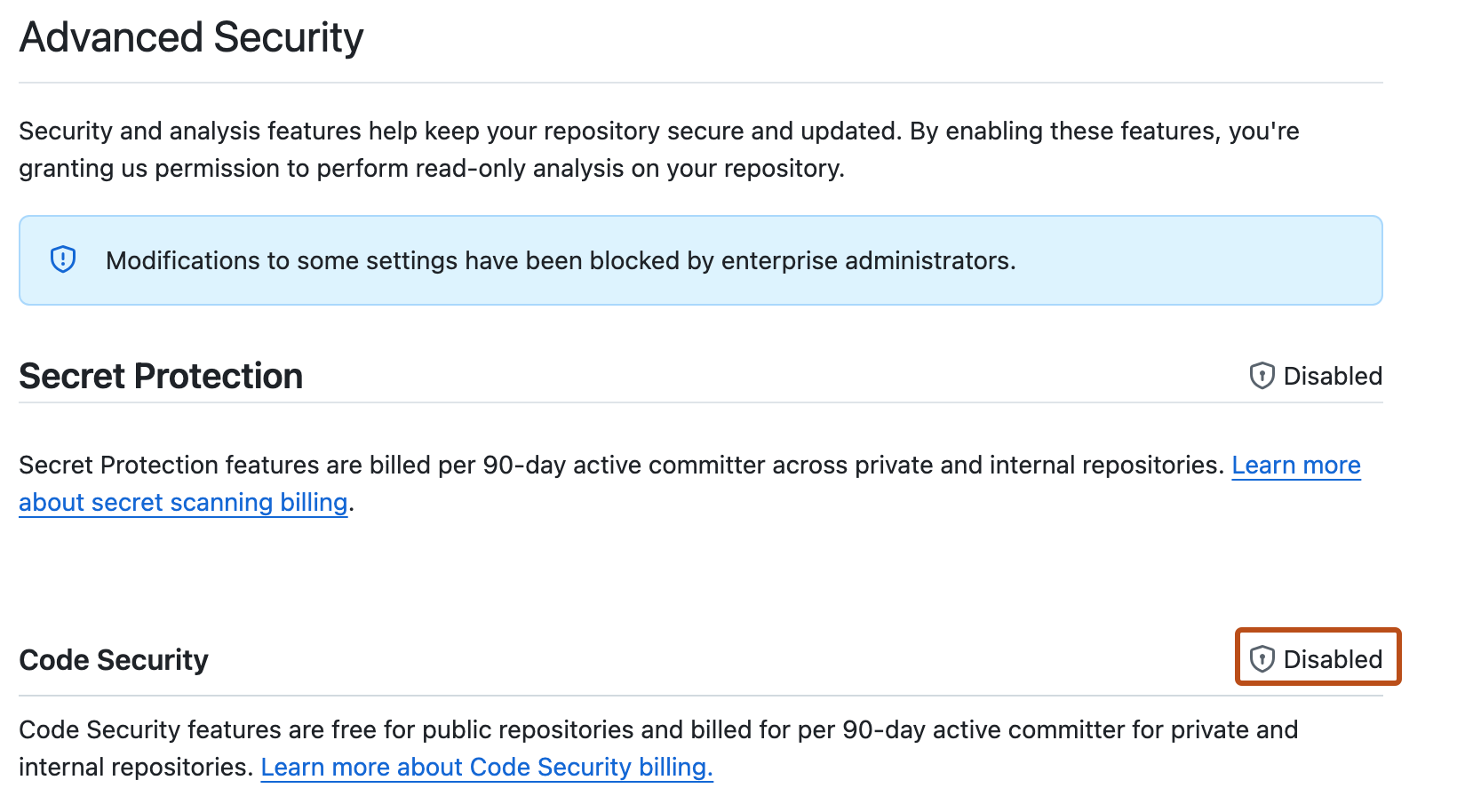


Fixing the problem
If GitHub Code Security is available to your repository, you can enable it on the settings page.
If GitHub Code Security is blocked by a policy, you first need to request access.
Requesting access to GitHub Code Security
- In the "Advanced Security" settings, click the enterprise name to display a list of users with access to edit the policy that controls access to Code Security products. For more information, see 强制实施企业的代码安全性和分析策略.
- Follow your company's policy for requesting access to additional features.
Enabling GitHub Code Security
- Open the "Code security" settings page.
- Next to the "Code Security" feature, click Enable.
- Rerun code scanning.