Managing alerts that have been automatically dismissed by a Dependabot auto-triage rule

You can filter to see which alerts have been auto-dismissed by a rule, and you can reopen dismissed alerts.

누가 이 기능을 사용할 수 있나요?

  • 조직 소유자
  • 보안 관리자
  • 관리자 액세스 권한이 있는 사용자(리포지토리에 대한 자동 심사 규칙을 활성화하고, 비활성화하고, 볼 수 있으며 사용자 지정 자동 심사 규칙을 만들 수 있습니다.)

Managing automatically dismissed alerts

참고 항목

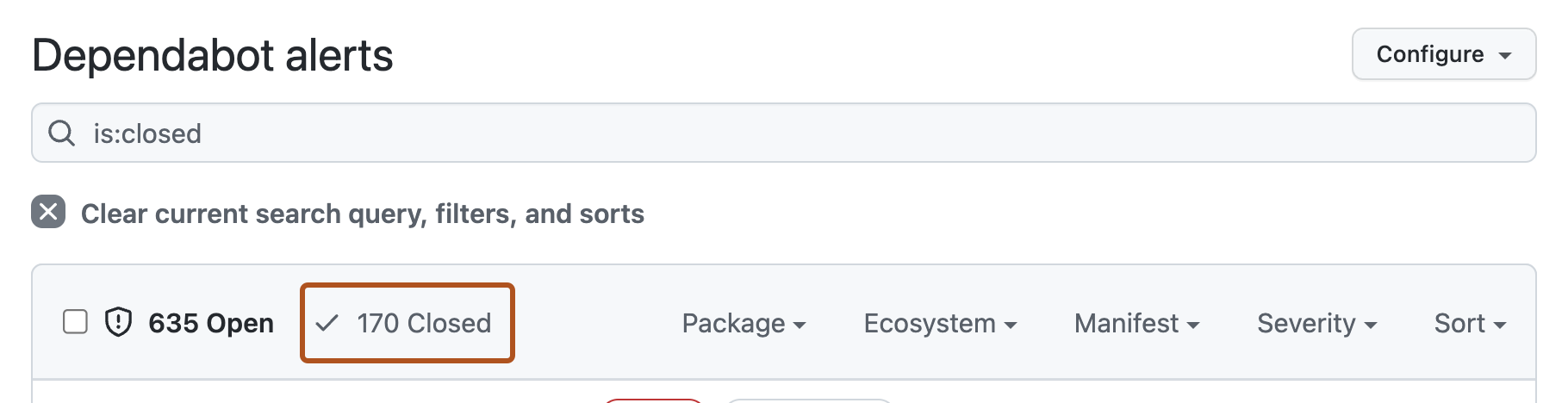
The Dependabot alerts page defaults to showing open alerts. To filter and view auto-dismissed alerts, you must first clear the is:open default filter from the view.

  1. GitHub에서 리포지토리의 기본 페이지로 이동합니다.

  2. 리포지토리 이름에서 Security를 클릭합니다. "Security" 탭이 표시되지 않으면 드롭다운 메뉴를 선택한 다음, Security를 클릭합니다.

    탭을 보여 주는 리포지토리 헤더의 스크린샷. "보안" 탭이 진한 주황색 윤곽선으로 강조 표시됩니다.

  3. To filter to see all closed alerts, click Closed. Alternatively, use the is:closed filter query in the search bar.

    Screenshot of the "Dependabot Alerts" page. A button, labeled "Closed" is highlighted with an orange outline.

  4. To see all auto-dismissed alerts, select Closed as, then in the dropdown menu, click Auto-dismissed.
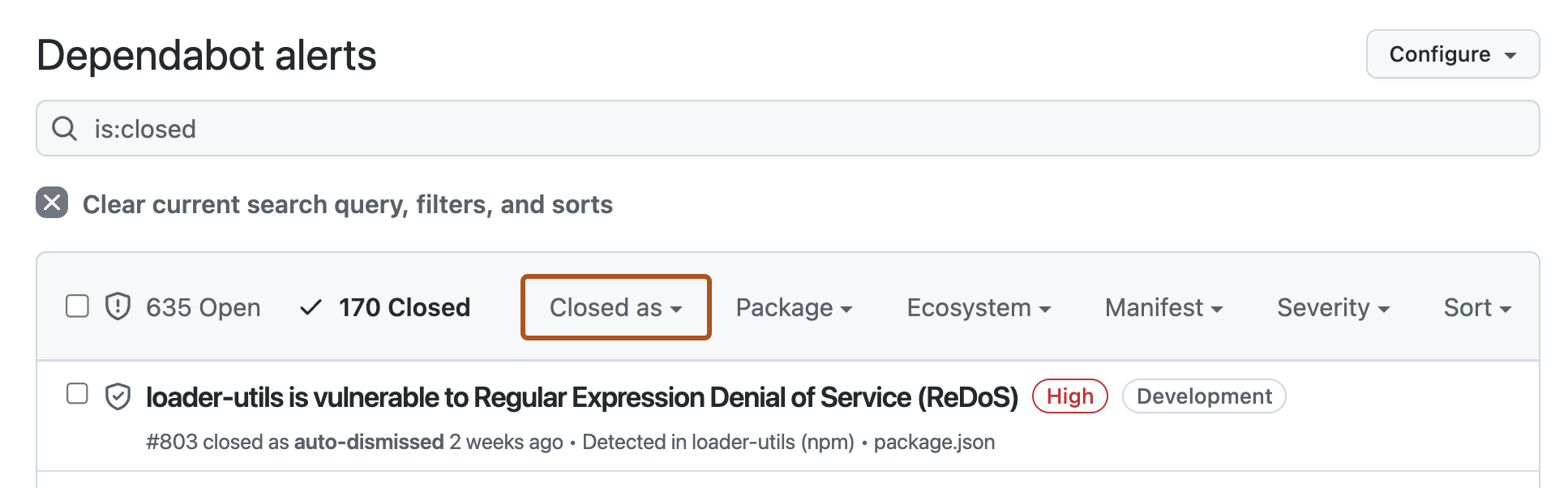
    Screenshot of the "Dependabot Alerts" page. A button, labeled "Closed as" is highlighted with an orange outline.

  5. To reopen an auto-dismissed alert, to the left of the alert title, click the checkbox adjacent to the alert, then click Reopen.

    Screenshot of an alert title on the "Dependabot Alerts" page. To the left of the alert, a checkbox is highlighted in an orange outline.